Bilješka
Pristup ovoj stranici zahtijeva provjeru vjerodostojnosti. Možete pokušati da se prijavite ili promijenite direktorije.
Pristup ovoj stranici zahtijeva provjeru vjerodostojnosti. Možete pokušati promijeniti direktorije.
Share Azure Monitor Logs in Microsoft Fabric with the Mirror Azure Monitor feature which supports all Logs table plans: Analytics, Basic, and Auxiliary \ Lake. After your telemetry is shared in OneLake, combine it with the business data already in Fabric. Reason across IT signals and business records together and act on them in real time.
The Mirror Azure Monitor feature connects your logs to Fabric without copying the data or duplicating storage. Sending data through Azure Monitor ingestion to Fabric uses the data collection rule (DCR) feature, Send data to a Fabric destination, which retires on September 1, 2026.
This cross-domain operational intelligence combines application and infrastructure telemetry with ERP, CRM, and other business data. Agents reason over the combined signals and recommend or take coordinated action across IT and the business domain.
Important
The Mirror Azure Monitor feature in Microsoft Fabric is in public preview. Capabilities, permissions, and billing might change before general availability.
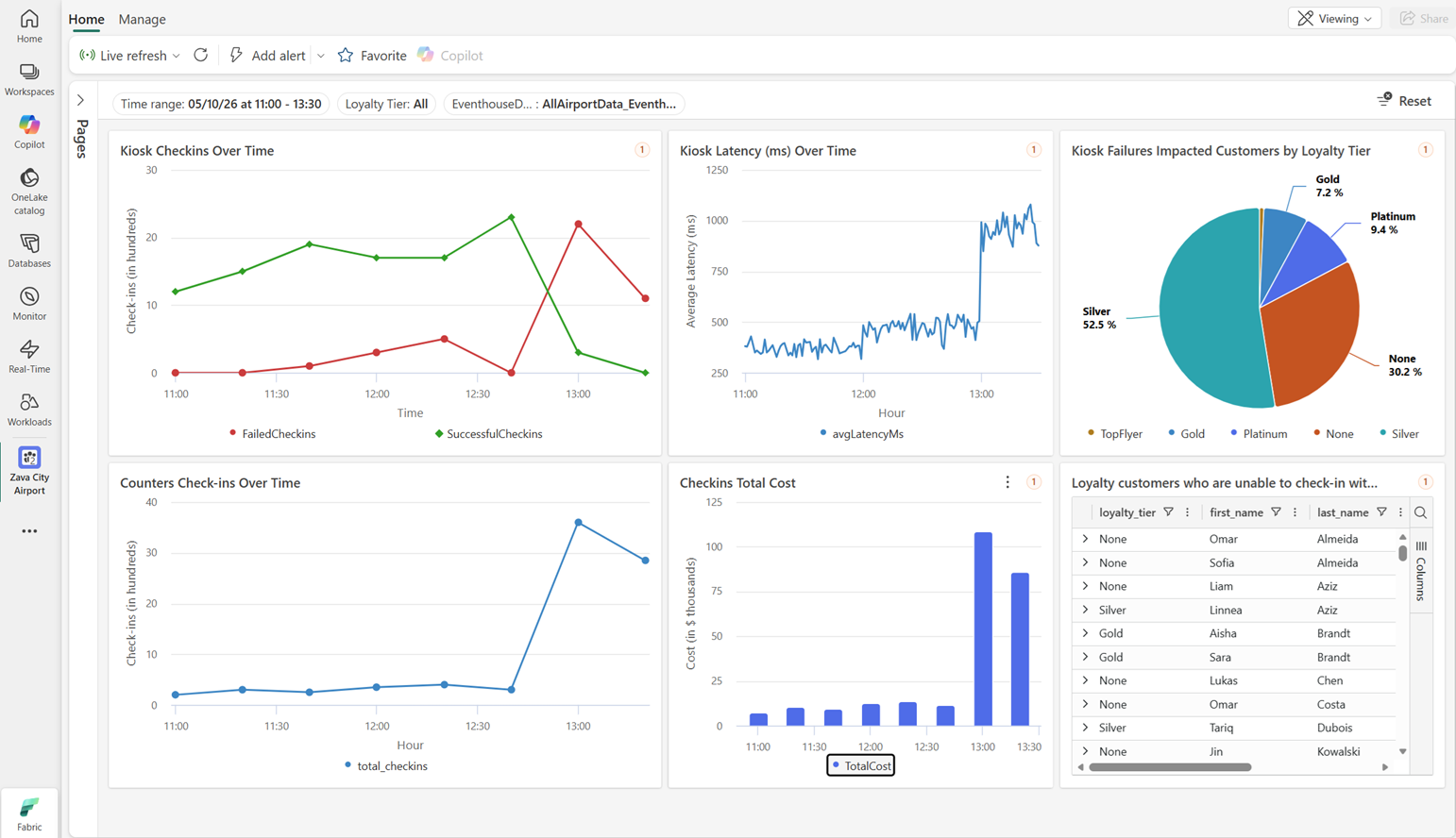
Example: Zava airport operations
Here's an example of Zava airport operations using cross-domain intelligence. The airport's IT team monitors telemetry from its applications and infrastructure in Azure Monitor. The business team monitors flight schedules, passenger counts, and baggage handling in a Fabric Lakehouse. When a flight is delayed, the IT team sees increased application errors and infrastructure alerts. The business team sees the delayed flight and increased passenger counts. Agents reason across both domains and recommend coordinated actions. For the IT team, this recommendation means investigating the application errors with the proper understanding of business impact. For the business team, this recommendation means rerouting passengers and baggage to minimize disruption.
When to use it
Combining Azure Monitor data with Fabric serves two related needs:
- Cross-domain operational intelligence. Join telemetry with business data in an Eventhouse, build real-time dashboards, and route insights to operations agents that act across IT and business systems. This scenario is the primary reason to bring Azure Monitor data into Fabric.
- Analytics on operational data. Run Spark notebooks over months of logs and build Power BI semantic models and reports that combine telemetry with other tables in OneLake.
How it works
A Mirrored Azure Monitor item exposes selected Log Analytics tables to Fabric without copying the data:
- Log Analytics writes its data internally as Delta Parquet files. Fabric reads those files through OneLake shortcuts, avoiding export pipelines and duplicate storage.
- The mirrored item exposes two access paths. An Eventhouse shortcut supports real-time Kusto Query Language (KQL) queries, dashboards, and operations agents. A Lakehouse shortcut supports Spark and Power BI.
- Existing Azure Monitor retention and lifecycle policies continue to govern the data.
The Mirrored Azure Monitor feature keeps logs in Azure Monitor, unlike the retiring data collection rule (DCR) feature, which uses Azure Monitor ingestion to send data directly to a Fabric destination.
Onboard with AI and Fabric skill
Use the AI tool of your choice with a structured skill designed to onboard Azure Monitor data to Fabric. The skill guides you through item creation, Eventhouse shortcuts, schema verification, and Operations Agent setup. For more information, see Mirror Azure Monitor in Fabric skill.
Cost considerations
Because the data stays in Azure Monitor, Fabric doesn't add a second ingestion charge. Existing Azure Monitor Logs charges for ingestion and retention continue to apply, while telemetry sits next to business data for joins and aggregation. Fabric bills for the capacity used to query the mirrored data. For how Fabric charges for queries and capacity consumption, see Microsoft Fabric concepts and licenses and Understand your Fabric capacity usage.