Bilješka
Pristup ovoj stranici zahtijeva provjeru vjerodostojnosti. Možete pokušati da se prijavite ili promijenite direktorije.
Pristup ovoj stranici zahtijeva provjeru vjerodostojnosti. Možete pokušati promijeniti direktorije.
Azure DDoS Protection custom policy gives you more granular control over how Azure DDoS Protection detects and mitigates attacks against your protected workloads. By using a custom policy, you can set protocol-specific detection thresholds for TCP, UDP, and TCP SYN traffic instead of relying solely on adaptive auto-tuning. Custom policies are useful for latency-sensitive applications, high-throughput services, and workloads with predictable traffic spikes.
In this article, you learn how to create a custom policy, configure protocol detection thresholds, and associate the policy with a supported frontend IP configuration.
Important
Azure DDoS Protection custom policy is currently in preview. See the Supplemental Terms of Use for Microsoft Azure Previews for legal terms that apply to Azure features that are in beta, preview, or otherwise not yet released into general availability.
Note
When you configure a custom threshold for a protocol, Azure disables autotuning triggers for that protocol and uses the configured static value instead. Use anticipated traffic baselines to guide threshold selection, start with conservative changes, and validate the behavior in a nonproduction environment before broad deployment.
Prerequisites
- If you don't have an Azure subscription, create a free account.
- A Standard Load Balancer with at least one frontend IP configuration to protect. A custom policy is a standalone resource that you associate with one or more Standard Load Balancer frontend IP addresses. You can create the policy first and associate frontend IP addresses later.
- Sign in to the Azure portal. Ensure that your account is assigned to the network contributor role or to a custom role that's assigned the appropriate actions listed in Permissions.
Preview scope and limitations
During public preview, Azure DDoS Protection custom policy supports:
- Standard Load Balancer frontend IP configurations.
- Inbound detection thresholds for TCP, UDP, and TCP SYN traffic, set in packets per second (50,000 to 2,000,000).
- Management through the Azure portal, Azure Resource Manager (ARM) templates, and the REST API.
Current limitations:
- Support is limited to Standard Load Balancer frontend IP configurations.
- Detection thresholds apply to inbound traffic only.
As with all preview features, functionality and supported scenarios might change before general availability.
Create a custom policy
Sign in to the Azure portal.
In the Search resources, services, and docs box at the top of the portal, enter DDoS custom policies. When DDoS custom policies appears in the results, select it.
Select Create.
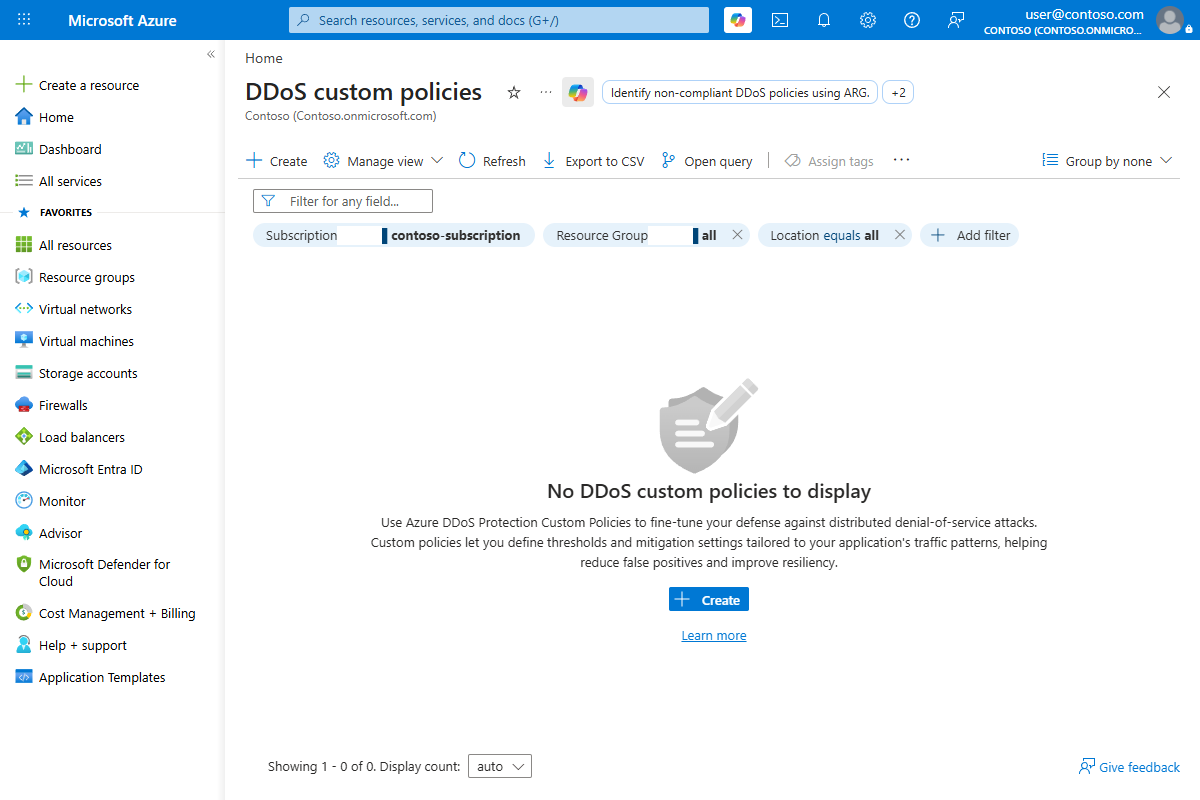
On the Basics tab, enter or select the following values.
Setting Value Subscription Select your subscription. Resource group Select an existing resource group or select Create new. Name Enter a name for the custom policy. Region Select a supported region. Under Load balancer frontend IP address, optionally select Select frontend IP addresses, and then choose the Standard Load Balancer frontend IP addresses that you want to apply the custom policy to. You can also associate frontend IP addresses later from the policy's Policy settings page.
Select Next: Custom rules to add detection threshold rules.
Add detection threshold rules
Detection threshold rules let you override Azure DDoS Protection's default detection logic with a fixed, application-specific trigger threshold. A custom policy requires at least one detection threshold rule.
Note
When you configure a custom threshold for a protocol, Azure disables automatic tuning for that protocol on the protected resource and uses the configured value instead. Protocols you don't add a rule for continue to use adaptive auto-tuning.
On the Custom rules tab, under Detection threshold, select Add a rule.
In Add a detection threshold rule, enter or select the following values, and then select Save.
Setting Value Name Enter a name for the rule. Protocol Select TCP, UDP, or TCPSYN. Threshold (packets per second) Enter a value from 50,000 to 2,000,000 based on your application's anticipated traffic baseline. Direction Inbound (the only supported direction during preview). 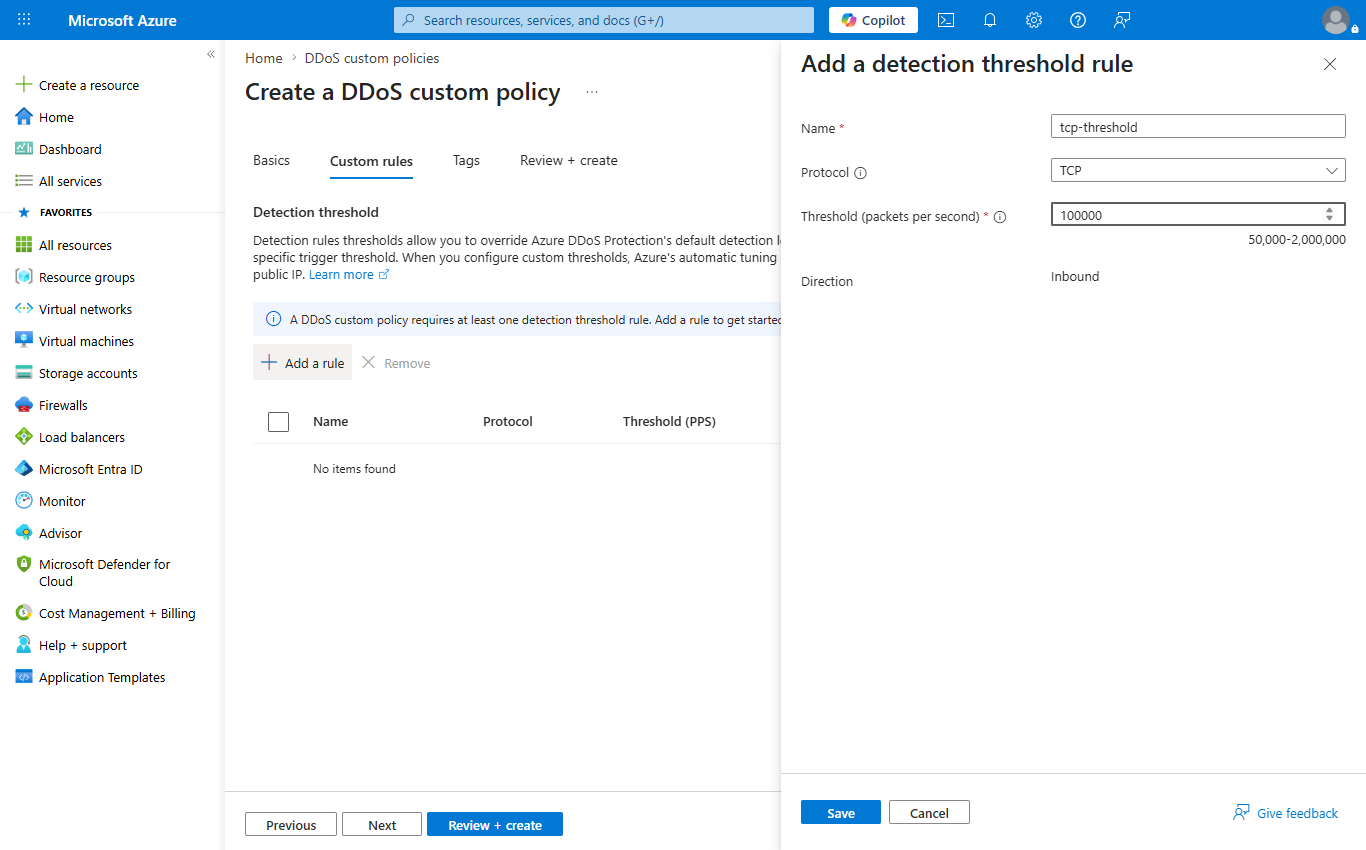
Repeat the previous steps to add a rule for each protocol you want to tune.
Select Review + create.
After validation passes, select Create to deploy the policy.
View and manage the custom policy
After deployment, you can view and manage the policy:
Go to your custom policy resource. On the Overview page, the Essentials section shows the number of mitigation rules and any associated frontend IP addresses. To view the full resource definition, select JSON View.
To change the policy, under Settings, select Policy settings. On the Policy settings page, you can:
- Under Load balancer frontend IP address, select Select frontend IP addresses to add or change the frontend IP addresses that the policy applies to.
- Under Custom rules, select Add to add a detection threshold rule, or select an existing rule to edit it.
Monitor mitigation behavior
After you configure a custom policy, monitor mitigation telemetry to validate the effect of your threshold changes. Azure Monitor and existing Azure DDoS Protection telemetry continue to provide visibility into mitigation activity. For more information, see Monitor Azure DDoS Protection.
Clean up resources
If you no longer need the custom policy, delete it. Deleting a custom policy returns its associated frontend IP addresses to adaptive auto-tuning.
Warning
This action is irreversible.
- Go to your custom policy resource.
- On the Overview page, select Delete, then confirm.