Bilješka
Pristup ovoj stranici zahtijeva provjeru vjerodostojnosti. Možete pokušati da se prijavite ili promijenite direktorije.
Pristup ovoj stranici zahtijeva provjeru vjerodostojnosti. Možete pokušati promijeniti direktorije.
The Microsoft Defender for IoT micro agent twin lets you customize the security agent's behavior for each device. By editing the module identity twin's desired properties in the Azure portal, you can control settings such as message frequency, collector enablement, and cache sizes. This article walks you through viewing and updating those configuration properties in IoT Hub. Before you begin, make sure you have the required Azure account, Defender for IoT subscription, and IoT Hub setup described in the Prerequisites.
Note
Defender for IoT plans to retire the micro agent on June 1, 2027.
Prerequisites
Before you configure the micro agent twin, make sure you have the following prerequisites:
An Azure account. If you do not already have an Azure account, you can create your Azure free account today.
A Defender for IoT subscription.
An existing IoT Hub with: A connected device, and A micro agent module twin.
Micro agent configuration
To view and update the micro agent twin configuration:
Navigate to the Azure portal.
Search for, and select IoT Hub.
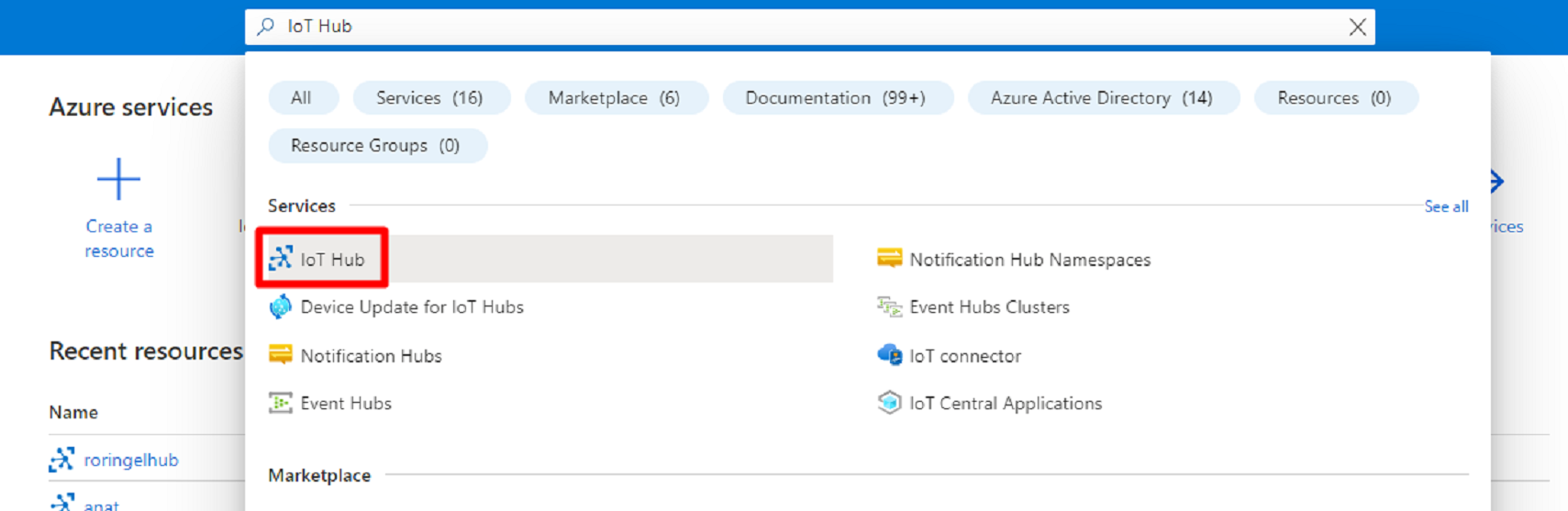
Select your IoT Hub from the list.
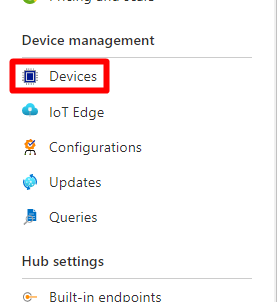
Under the Device management section, select Devices.
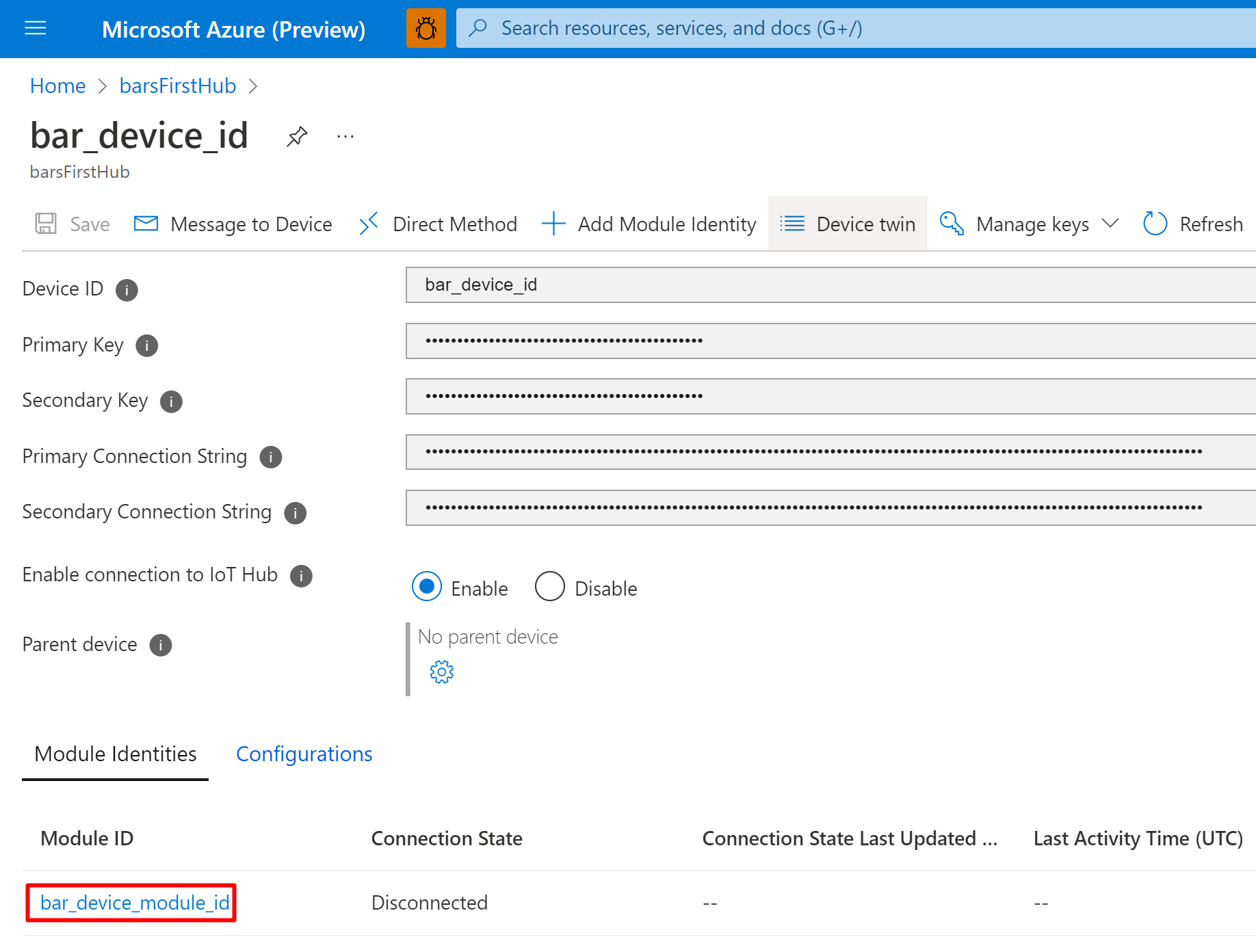
Select your device from the list.
Select the module ID.
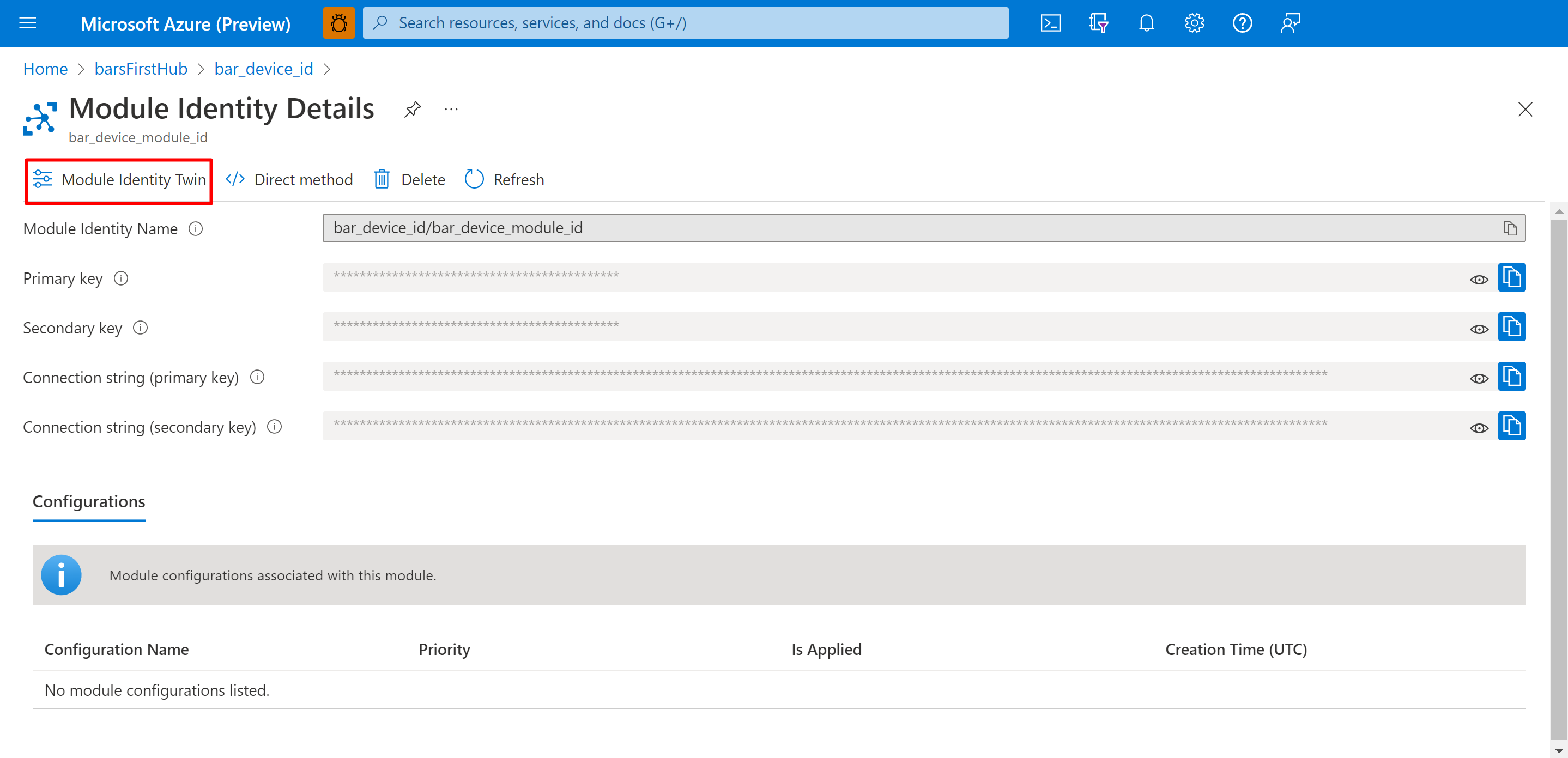
In the Module Identity Details screen, select Module Identity Twin.
Change the value of any field by adding the field to the
"desired"section with the new value.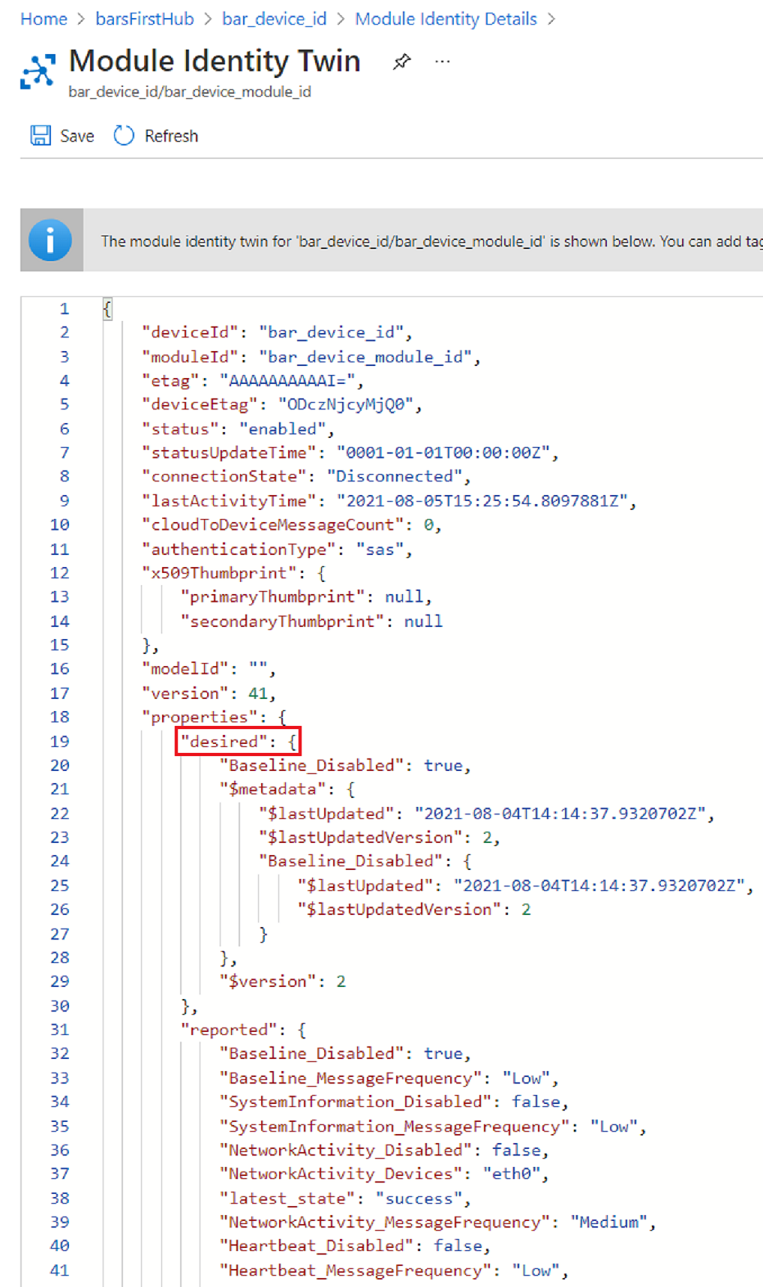
For example:
"desired": {
    "Baseline_Disabled": false,
    "Baseline_MessageFrequency": "Low",
    "Baseline_GroupsDisabled": "",
    "Baseline_ChecksDisabled": "",
    "SystemInformation_Disabled": false,
    "SystemInformation_MessageFrequency": "Low",
    "SBoM_Disabled": false,
    "SBoM_MessageFrequency": "Low",
    "NetworkActivity_Disabled": false,
    "NetworkActivity_MessageFrequency": "Medium",
    "NetworkActivity_Devices": "eth0",
    "NetworkActivity_CacheSize": 256,
    "Process_Disabled": false,
    "Process_MessageFrequency": "Medium",
    "Process_PollingInterval": 100000,
    "Process_Mode": 1,
    "Process_CacheSize": 256,
    "LogCollector_Disabled": false,
    "LogCollector_MessageFrequency": "Low",
    "Heartbeat_Disabled": false,
    "Heartbeat_MessageFrequency": "Low",
    "Login_Disabled": false,
    "Login_MessageFrequency": "Medium",
    "IothubModule_MessageTimeout": 2880,
    "CollectorsCore_PriorityIntervals": "30,120,1440"
}
For the full list of supported properties, see Micro agent configurations.
The micro agent successfully set the new configuration if the value of
"latest_state", under the"reported"section shows"success".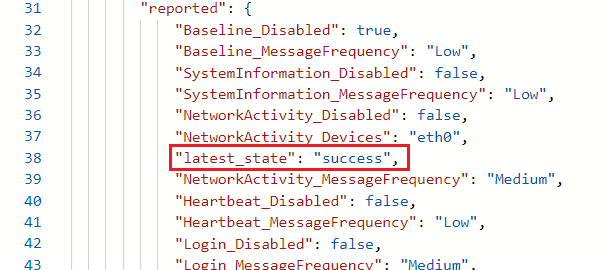
If the micro agent fails to set the new configuration, the value of
"latest_state", under the"reported"section will show"failed". If the configuration update fails, the"latest_invalid_fields"will contain a list of the fields that are invalid.