Bilješka
Pristup ovoj stranici zahtijeva provjeru vjerodostojnosti. Možete pokušati da se prijavite ili promijenite direktorije.
Pristup ovoj stranici zahtijeva provjeru vjerodostojnosti. Možete pokušati promijeniti direktorije.
In this tutorial, you set up the FHIR® service in Azure Health Data Services to pass the Touchstone tests for the CARIN Implementation Guide for Blue Button (C4BB IG).
Touchstone capability statement
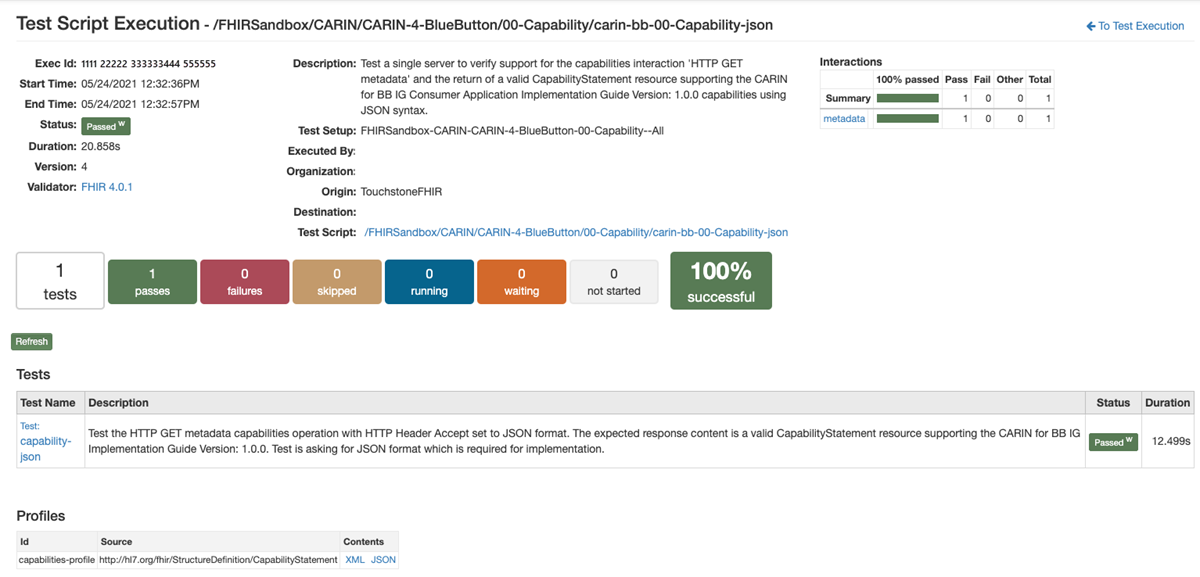
First, test the FHIR service against the C4BB IG capability statement. If you run this test against the FHIR service without any updates, the test fails due to missing search parameters and missing profiles.
Define search parameters
As part of the C4BB IG, you need to define three new search parameters for the ExplanationOfBenefit resource. Two of these search parameters (type and service-date) are tested in the capability statement, and one search parameter (insurer) is needed for _include searches.
Note
In the raw JSON for these search parameters, the name is set to ExplanationOfBenefit_<SearchParameter Name>. The Touchstone test expects that the name for these search parameters is type, service-date, and insurer.
The rest of the search parameters needed for the C4BB IG are defined by the base specification and are already available in the FHIR service without any additional updates.
Store profiles
To pass this test, you need to load the required profiles in addition to defining search parameters. The C4BB IG defines eight profiles:
- C4BB Coverage
- C4BB ExplanationOfBenefit Inpatient Institutional
- C4BB ExplanationOfBenefit Outpatient Institutional
- C4BB ExplanationOfBenefit Pharmacy
- C4BB ExplanationOfBenefit Professional NonClinician
- C4BB Organization
- C4BB Patient
- C4BB Practitioner
Sample REST file
To help you create these search parameters and profiles, a sample http file is available that includes all the steps previously outlined in a single file. After you upload all the necessary profiles and search parameters, you can run the capability statement test in Touchstone.
Touchstone read test
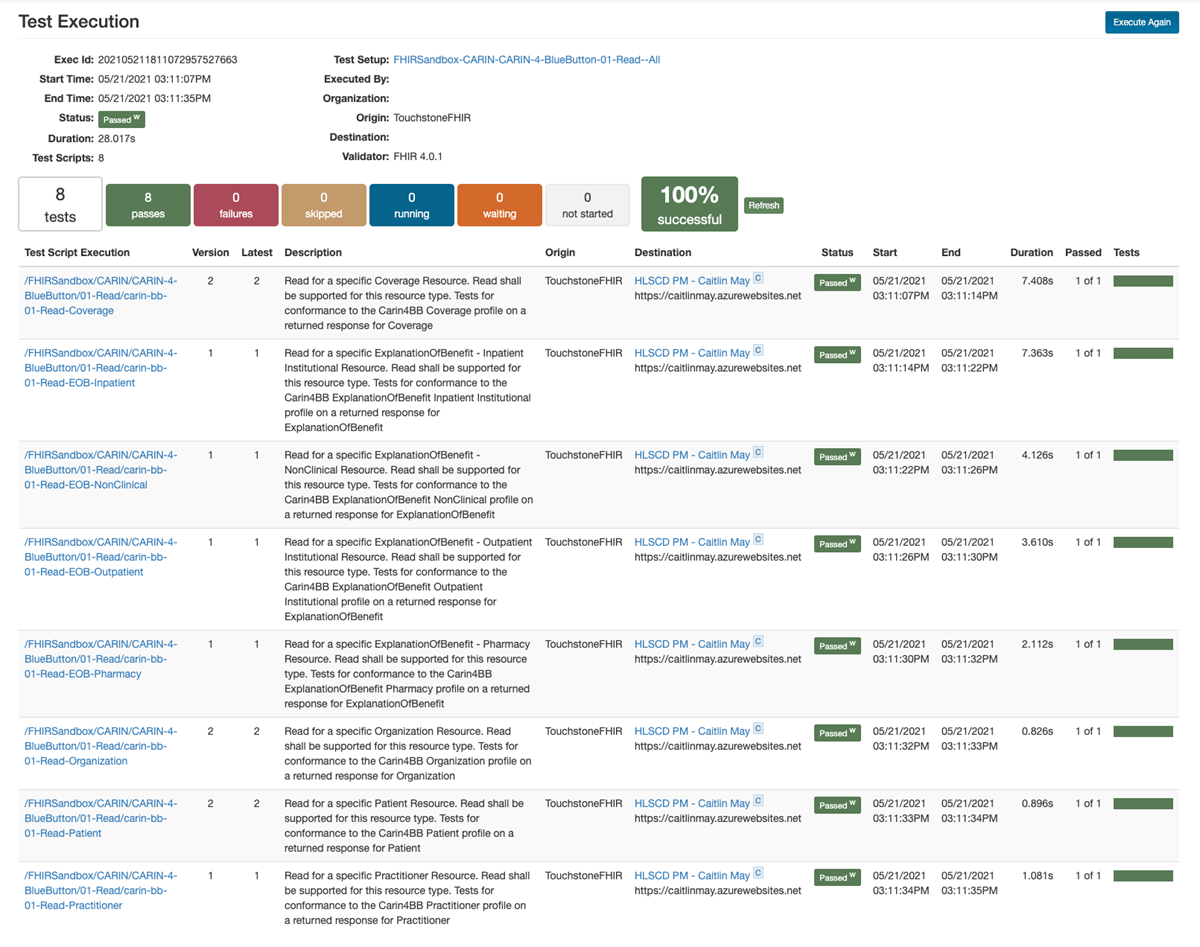
After testing the capabilities statement, test the read capabilities of the FHIR service against the C4BB IG. This test checks conformance against the eight profiles you loaded in the first test. You need to load resources that conform to the profiles. The best path is to test against resources that you already have in your database. An http file is also available with sample resources pulled from the examples in the IG that you can use to create the resources to test against.
Touchstone EOB query test
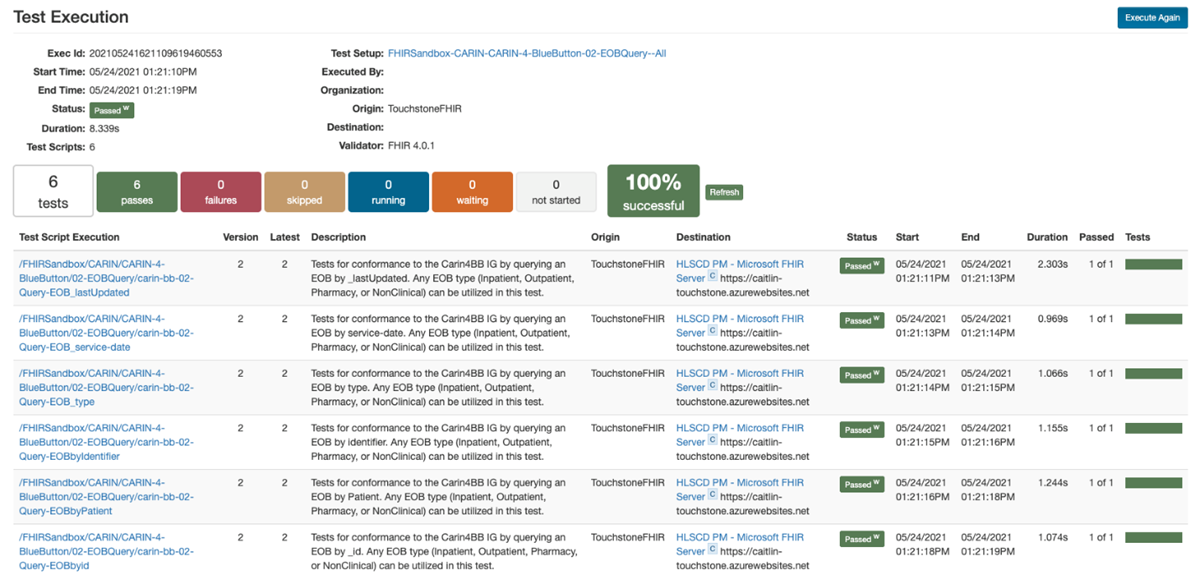
The next test is the EOB query test. If you already completed the read test, you already have all the data you need. This test validates that you can search for specific Patient and ExplanationOfBenefit resources by using various parameters.
Touchstone error handling test
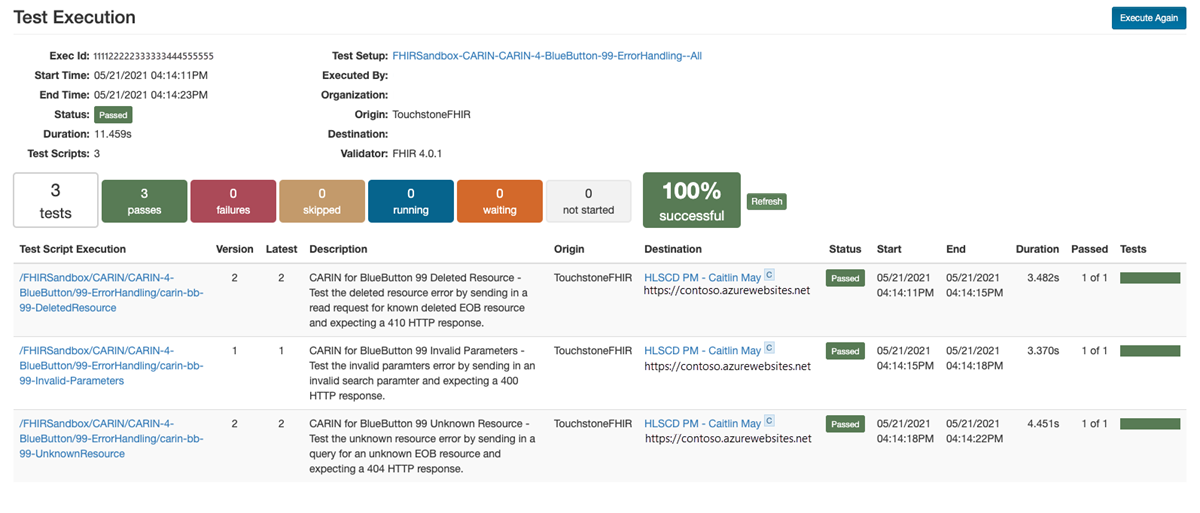
The final test is testing error handling. The only step is to delete an ExplanationOfBenefit resource from your database by using the ID of the deleted ExplanationOfBenefit resource in the test.
Next steps
In this tutorial, you learned how to pass the CARIN IG for Blue Button tests in Touchstone. Next, you can review how to test the Da Vinci formulary tests.
Note
FHIR® is a registered trademark of HL7 and is used with the permission of HL7.