Bilješka
Pristup ovoj stranici zahtijeva provjeru vjerodostojnosti. Možete pokušati da se prijavite ili promijenite direktorije.
Pristup ovoj stranici zahtijeva provjeru vjerodostojnosti. Možete pokušati promijeniti direktorije.
Note
This capability is part of the Fabric Data Factory Copilot experience. Find more information about this capability and how to enable it from the article What is Copilot in Fabric in the Data Factory workload.
The Copilot explainer skill in Dataflow Gen2 is an AI-powered assistant within Microsoft Fabric's Data Factory workload that helps you interpret Mashup (Power Query M) code in natural language.
The experience allows you to explain the full query or a particular step of a query:
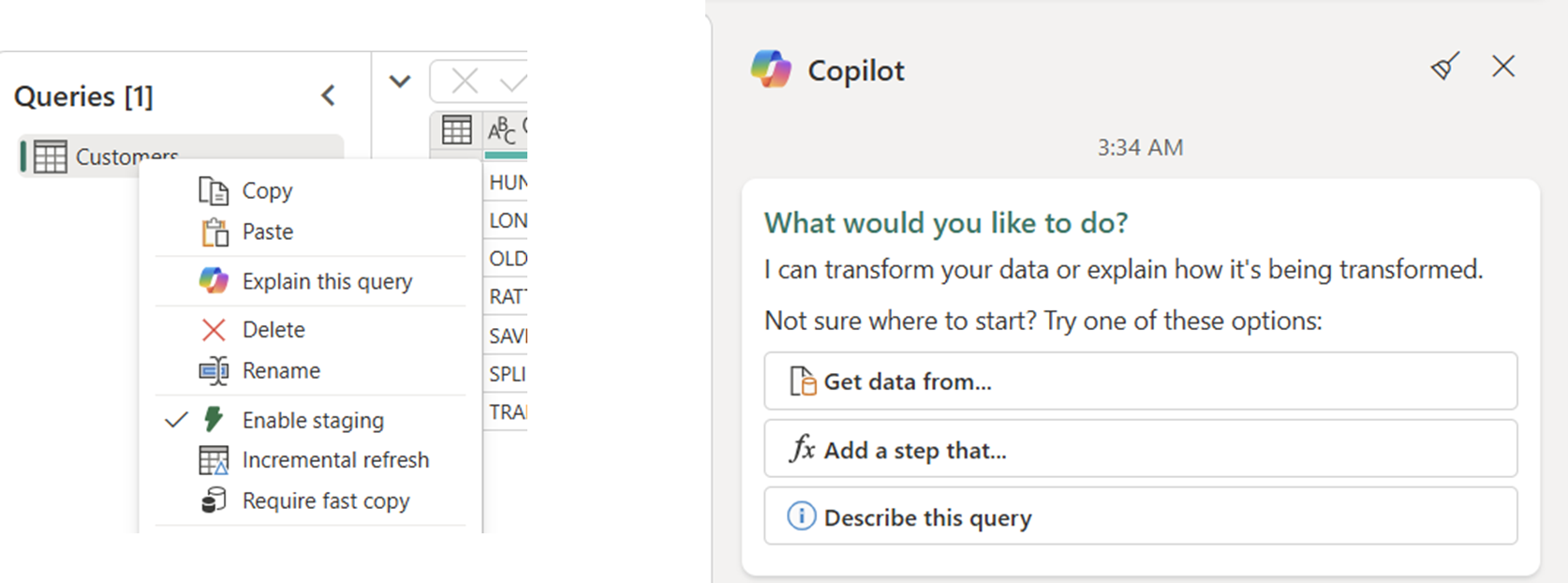
- Explain this query: Trigger this experience through the Copilot pane or by right-clicking your queries in the Queries pane and selecting Explain or Describe.
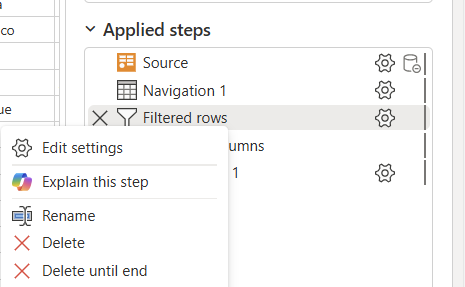
- Explain this step: When you select only a step inside a query through the applied steps section, right-click the step and select explain from the list.