Bilješka
Pristup ovoj stranici zahtijeva provjeru vjerodostojnosti. Možete pokušati da se prijavite ili promijenite direktorije.
Pristup ovoj stranici zahtijeva provjeru vjerodostojnosti. Možete pokušati promijeniti direktorije.
In this article, you learn how to create and manage event schema sets in Microsoft Fabric Real-Time Intelligence. Event schema sets help you organize and standardize data structures (schemas) for your real-time analytics workflows, making it easier to process and analyze streaming data consistently.
Prerequisites
To create an event schema set, you need the Admin, Member, or Contributor role on the workspace. Users with the Viewer role can view an existing schema set but can't create or modify one. For more information, see Permissions.
Create a schema set
Sign in to Microsoft Fabric.
Select My workspace on the left navigation bar.
On the My workspace page, select + New item on the command bar.
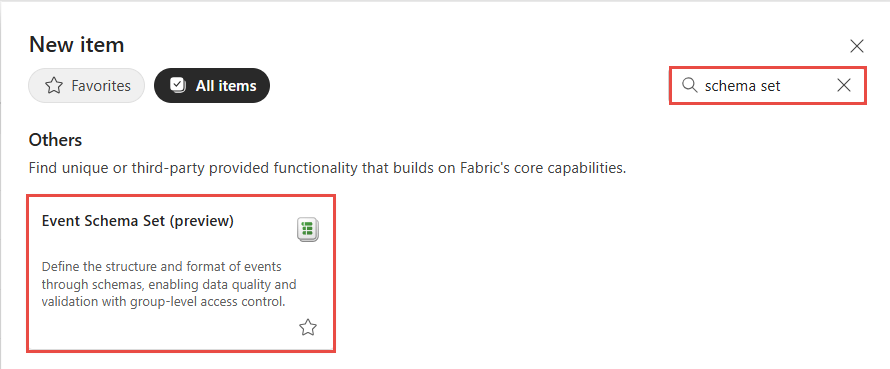
On the New item page, search for Event schema set, and then select Event Schema Set (preview).
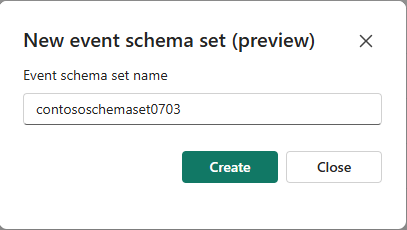
In the New event schema set (preview) window, enter a name for the schema set, and then select Create. The name must contain fewer than 256 UTF-8 characters.
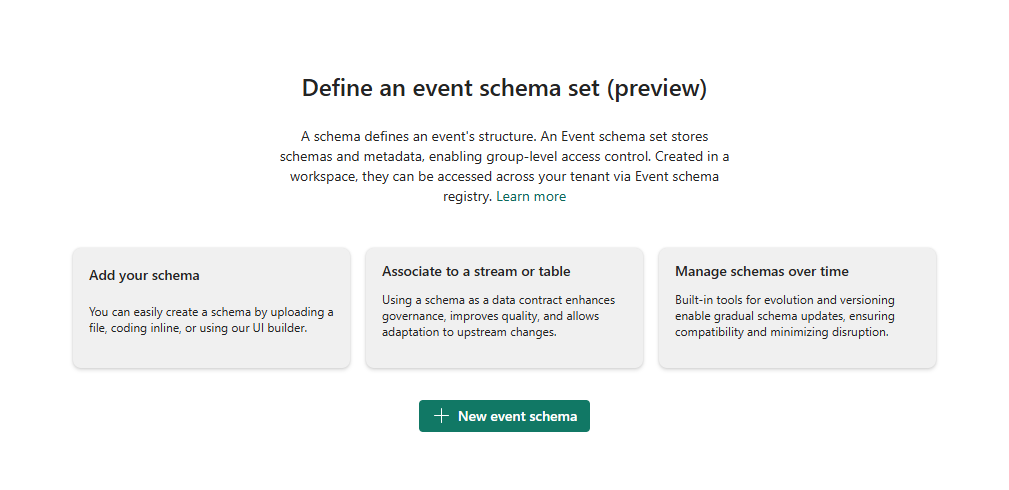
Creation of the new event schema set in your workspace can take a few seconds. After the schema set is created, you're directed to the main editor where you can start with adding a schema to the schema set.
Configure settings for a schema set
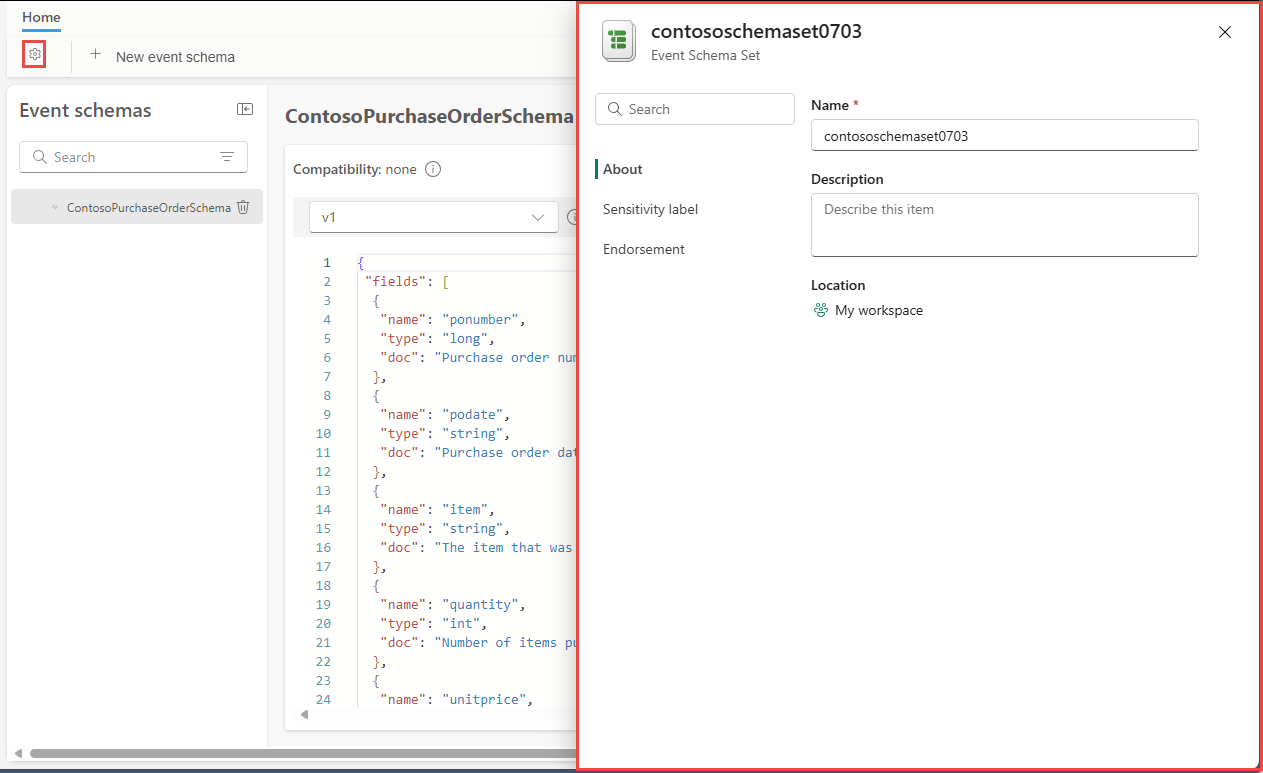
Once you have at least one schema in the schema set, you can configure settings such as schema set name, description, sensitivity label, and endorsement, select the gear button on the ribbon in the top-left corner.
Next step
Now, add a schema to the event schema set by following instructions from Create and manage event schemas in schema sets.