Note
Access to this page requires authorization. You can try signing in or changing directories.
Access to this page requires authorization. You can try changing directories.
In Azure VMware Solution, vCenter Server has a built-in local user called cloudadmin assigned to the CloudAdmin role. The CloudAdmin role has vCenter Server privileges that differ from other VMware cloud solutions and on-premises deployments. You can use a run command to perform operations that normally require elevated privileges through a collection of PowerShell cmdlets.
Azure VMware Solution supports the following operations:
- Configure an external identity source
- View and set storage policies
- Deploy disaster recovery using JetStream
- Use VMware HCX Run Commands
Additional Run Command packages include the following: Each of these Run Command Packages has a list of cmdlets allowing a customer to execute specific privileges operations:
PureStorage.AzureNative.Tools: Integrates Pure Storage arrays and workflows with Azure VMware Solution operations.PureStorage.CBS.AVS: Supports Pure Cloud Block Store appliance workflows for AVS environments.Microsoft.AVS.VMFS: Manages VMFS datastore lifecycle and related datastore operations.Microsoft.AVS.NFS: Manages NFS datastore workflows used for specialized validation and testing scenarios.Microsoft.AVS.Management: Provides general AVS operational and triage-focused management commands.NetApp.CBS.AVS: Supports NetApp Cloud Block Store appliance management tasks.VMware.VCDA.AVS: Manages Broadcom VMware Cloud Director Availability (VCDA) appliance workflows.ZertoAVSModule: Supports Zerto disaster recovery appliance management operations.
Note
Run Commands are executed one at a time in the order submitted.
Use Run Command
Run Command can be accessed from the Private Cloud Portal View under Operations.
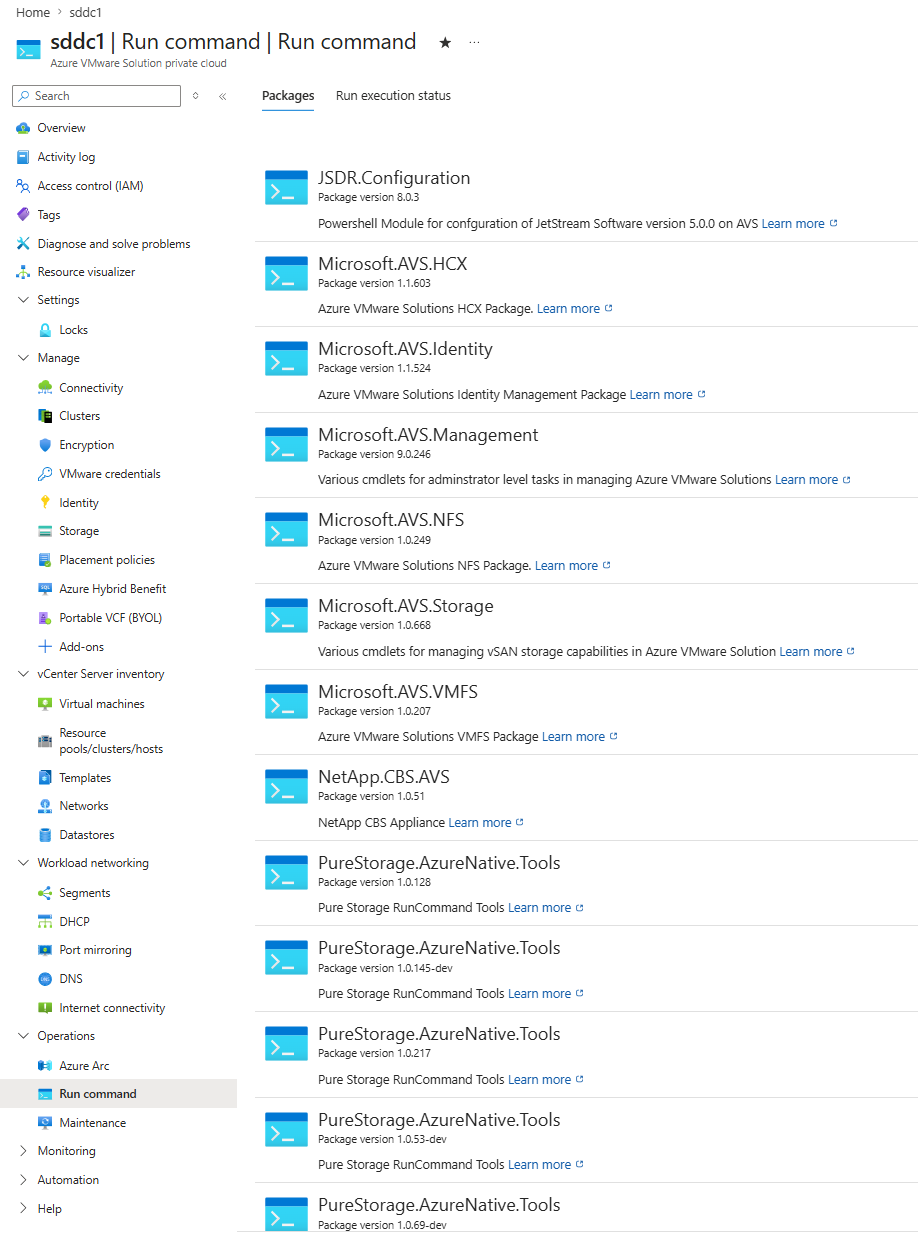
Next you can execute a Run Command Cmdlet and check execution status.