Hi,
When setting up my a family member's computer, I seem to have accidentally set up a new Microsoft Family Account and added her to it when my wife already has one. I need to remove the family member from the new family account (that I never intended to set up) and add the family member to my wife's family account.
When I click the three dots next to this family member's name and select "Remove from family group", I get an error message which tells me that before I can remove from family group, I need to remove consent. It also says I do this by clicking "Manage Consent" then select "Remove consent".
When I click "Manage Consent", it takes me to a new page where there is no drop down menu, and indeed no menu of any kind. The only content is a link back the the account.microsoft.com/family/home page (see screenshot)
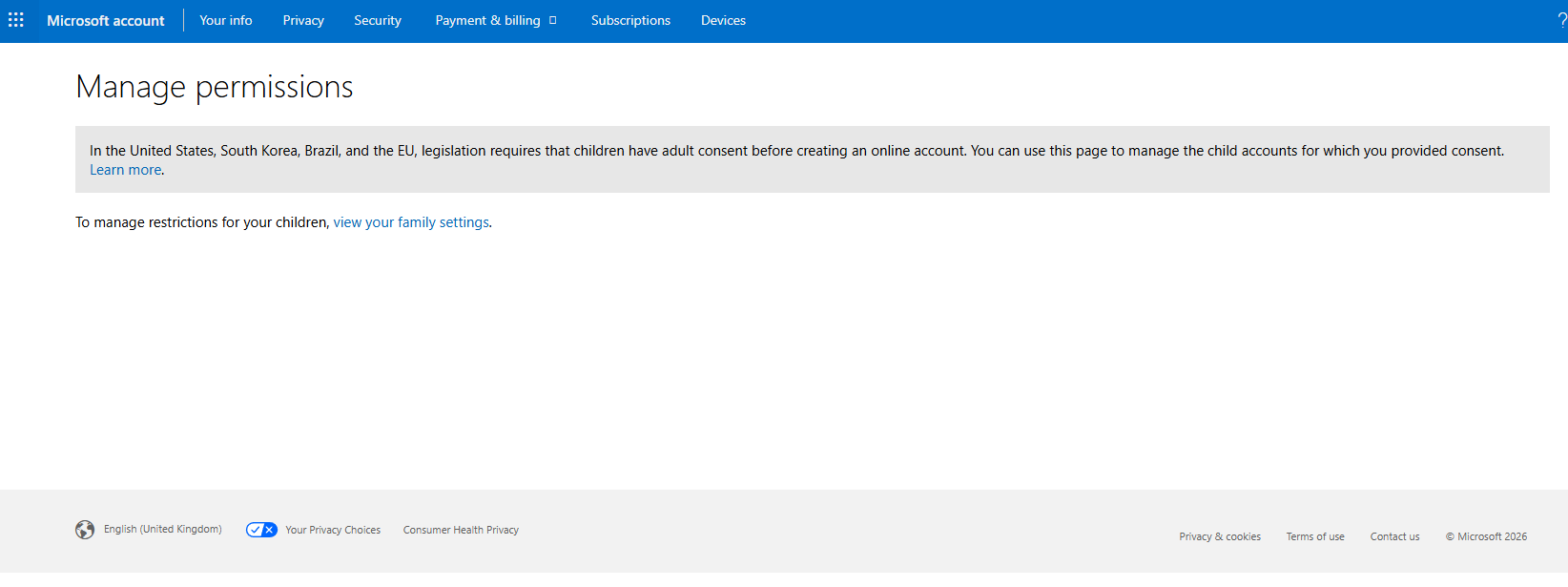
Please advise how I can remove consent and remove the family member.
' cx='32' cy='32' r='32' /%3E%3Ctext x='50%25' y='55%25' dominant-baseline='middle' text-anchor='middle' fill='%23FFF' %3EAM%3C/text%3E%3C/svg%3E)

