Note
Access to this page requires authorization. You can try signing in or changing directories.
Access to this page requires authorization. You can try changing directories.
You can use the Azure Service Health Report an issue pane and the REST API to report an issue. You can also use an Azure Monitor connector to report an impact automatically when certain alerts get triggered.
Important
Azure Impact Reporting is currently in preview. For legal terms that apply to Azure features that are in beta, in preview, or otherwise not yet released into general availability, see Supplemental Terms of Use for Microsoft Azure Previews.
Report workload impact
Use the following channels to report a workload:
- Azure Service Health portal pane
- REST API
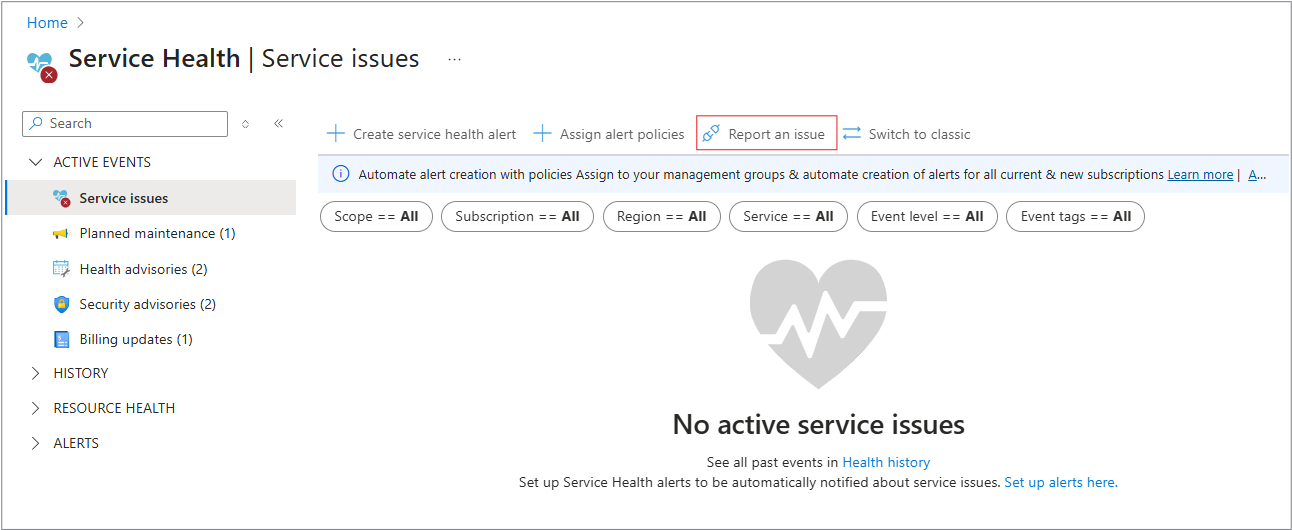
To report an issue, follow these steps:
Select Report an issue.
Select Single resource.

Fill out the required fields:
- Subscription
- Impacted resource
- What is the business impact?
- Impact start time
- Impact end time
Select Submit.

When your issue is reported, you should see this message.

If an outage is found, you see it in the portal.
If you get the following error, you don't have permission.
