Note
Access to this page requires authorization. You can try signing in or changing directories.
Access to this page requires authorization. You can try changing directories.
Important
This content is archived and is not being updated. For the latest documentation, go to What's new or changed in Dynamics 365 Finance. For the latest release plans, go to Release plans for Dynamics 365, Power Platform, and Copilot.
| Enabled for | Public preview | General availability |
|---|---|---|
| Admins, makers, marketers, or analysts, automatically |  Apr 1, 2024
 |
Oct 4, 2024 |
Business value
Dynamics 365 Finance offers advanced bank reconciliation features that help businesses manage the bank reconciliation process more efficiently. With increased automation and enhanced capabilities, businesses reduce the need for manual work and save time for cash management clerks. By streamlining the bank reconciliation process, Dynamics 365 Finance helps businesses improve financial management and ensure accurate reporting.
Feature details
Bank reconciliation is a crucial step for businesses. It involves comparing the cash balance on a company’s balance sheet to the corresponding amount on its bank statement, and identifying any discrepancies that require accounting adjustments. This process can be time-consuming and labor-intensive, as it requires careful matching of records and generation of reports.
Advanced bank reconciliation in Dynamics 365 Finance helps businesses manage this process more efficiently. To automate cash application, advanced bank reconciliation provides the following functions:
Generate customer payment journal.
- Automatic generation: Configure reconciliation matching rules to automate this step. Use customer international bank account number (IBAN) or bank account number to match the related bank account info on a bank statement and search the customer account automatically.
- Manual generation: Manually create customer payment journals from a bank reconciliation worksheet.
Generate vendor payment journal from a bank reconciliation worksheet.
- Automatic generation: Configure reconciliation matching rules to automate this task.
- Manual generation: Manually create vendor payment journals from a bank reconciliation worksheet.
Post voucher with the redesigned user experience.
- Automatic posting: Configure reconciliation matching rules to automate this task.
- Manual posting: Manually post GL vouchers from a bank reconciliation worksheet per bank statement line.
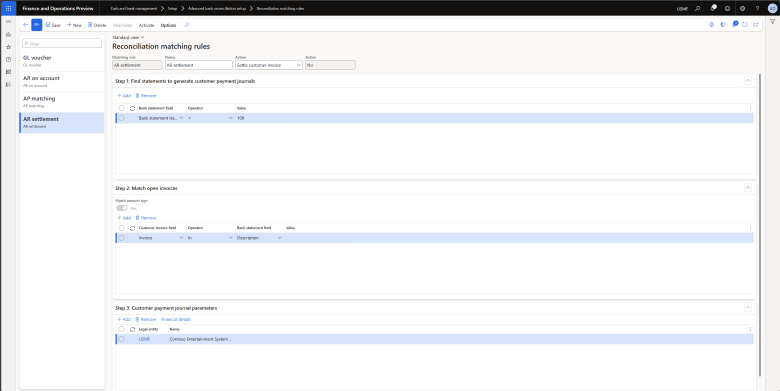
Settle open customer invoices with bank statement lines.
- Automatic settlement: Configure reconciliation matching rules to automate this task. Bank statement lines are matched with open customer invoices based on user-defined criteria like invoice number, sales order number, payment ID, and payment reference. The customer account is retrieved automatically from matched invoices.
- Manual settlement: Manually settle open customer invoices from a bank reconciliation worksheet.
Geographic areas
Visit the Explore Feature Geography report for Microsoft Azure areas where this feature is planned or available.
Language availability
Visit the Explore Feature Language report for information on this feature's availability.