Note
Access to this page requires authorization. You can try signing in or changing directories.
Access to this page requires authorization. You can try changing directories.
Owners and sponsors play distinct governance roles for agent identity blueprints and agent identities in Microsoft Entra ID. Owners are technical administrators who can manage the configuration and operations of an agent. Sponsors are business owners who are accountable for the agent's purpose, lifecycle decisions, and access reviews.
This article walks you through adding and removing owners and sponsors using the Microsoft Entra admin center. For more information about the roles and responsibilities of owners and sponsors, see owners, sponsors, and managers.
Prerequisites
To manage owners and sponsors, you must:
- Have the Agent ID Administrator role.
- Be an existing owner of the agent identity blueprint or agent identity you want to manage.
Add an owner or sponsor to an agent blueprint
When managing agent identity blueprint owners and sponsors, you can assign them to either the agent identity blueprint or the agent blueprint principal using the respective tabs.
Note
When you use a dynamic membership group as a sponsor, it can take up to 24 hours after a membership rule change or a user property change before the authorization check on sponsorship succeeds. Plan accordingly when assigning dynamic groups as sponsors for agent identities or blueprints.
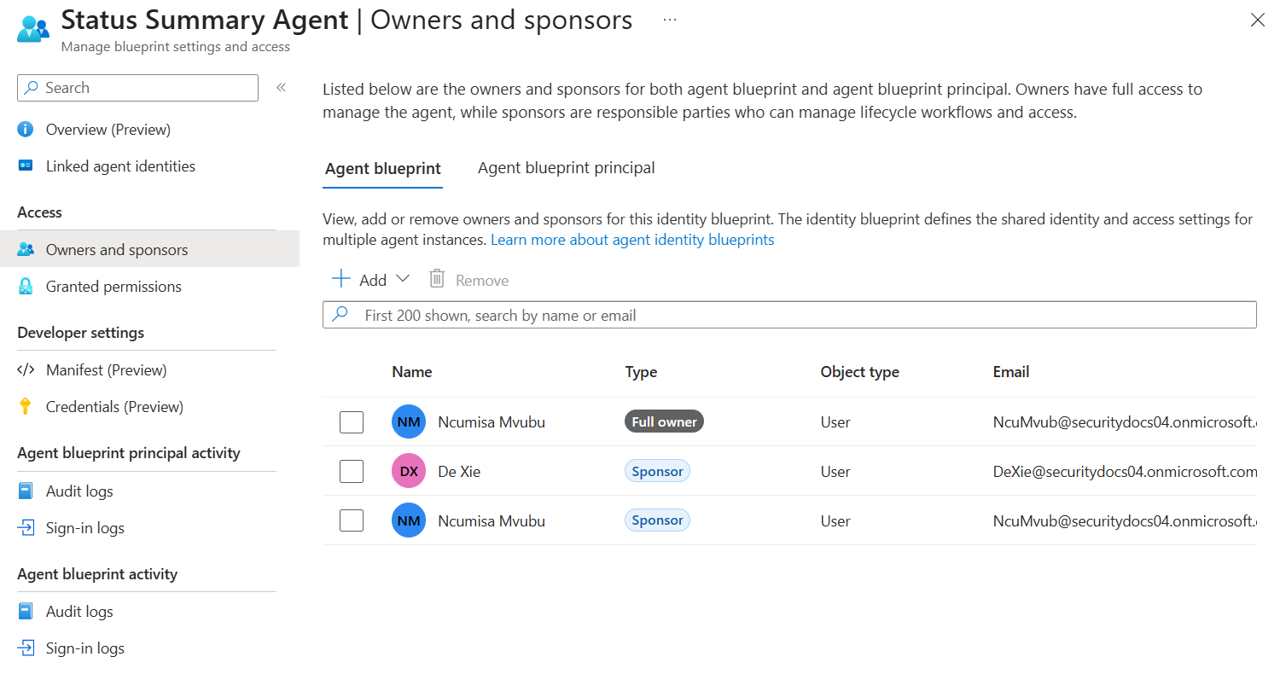
- Sign in to the Microsoft Entra admin center as an Agent ID Administrator or owner of the agent identity blueprint.
- Browse to Entra ID > Agents > Agent blueprints.
- Select the blueprint you want to manage.
- Under Access select Owners and sponsors.
- Select either the Agent blueprint or Agent blueprint principal tab, depending on which you want to manage.
- Select Add > Add owner or Add sponsor, depending on which you want to add.
- Search for and select the users and groups (for sponsors only) you want to add.
- Select Add.
Add an owner or sponsor to an agent identity
The process for adding owners and sponsors to individual agent identities is similar to blueprints.
- Sign in to the Microsoft Entra admin center as an Agent ID Administrator or owner of the agent identity.
- Browse to Entra ID > Agents > Agent identities.
- Select the agent identity you want to manage.
- Under Access select Owners and sponsors.
- Select Add > Add owner or Add sponsor depending on which you want to add.
- Search for and select the users and groups (for sponsors only) you want to add.
- Select Add.
Remove an owner or sponsor
Remove from blueprints
- Sign in to the Microsoft Entra admin center as an Agent ID Administrator or owner of the agent identity blueprint.
- Browse to Entra ID > Agents > Agent blueprints.
- Select the blueprint you want to manage.
- Select Owners and sponsors from the left menu.
- Select either the Agent blueprint or Agent blueprint principal tab, depending on which you want to manage.
- Select the checkbox next to the owner or sponsor you want to remove.
- Select Remove.
Remove from agent identities
- Sign in to the Microsoft Entra admin center as an Agent ID Administrator or owner of the agent identity.
- Browse to Entra ID > Agents > Agent identities.
- Select the agent identity you want to manage.
- Under Access select Owners and sponsors.
- Select the checkbox next to the owner or sponsor you want to remove.
- Select Remove.