Bilješka
Pristup ovoj stranici zahtijeva provjeru vjerodostojnosti. Možete pokušati da se prijavite ili promijenite direktorije.
Pristup ovoj stranici zahtijeva provjeru vjerodostojnosti. Možete pokušati promijeniti direktorije.
In this quickstart, you learn how to send and receive large messages (up to 20 MB) by using Azure Event Hubs. If you're new to Event Hubs, see Event Hubs overview before you begin.
Prerequisites
- An Azure subscription. To use Azure services, including Event Hubs, you need a subscription. If you don't have an Azure account, you can sign up for a free trial or activate your Monthly Azure credits for Visual Studio subscribers.
- An Event Hubs dedicated cluster that contains an Event Hubs namespace and an event hub. Use the Azure portal to create the dedicated cluster and the namespace inside the cluster. To create an event hub, see Create an event hub by using the Azure portal.
Configure an Event Hubs dedicated cluster
To stream large messages, configure your dedicated cluster:
In the Azure portal, go to your dedicated cluster.
Under Settings, select the Quota tab.
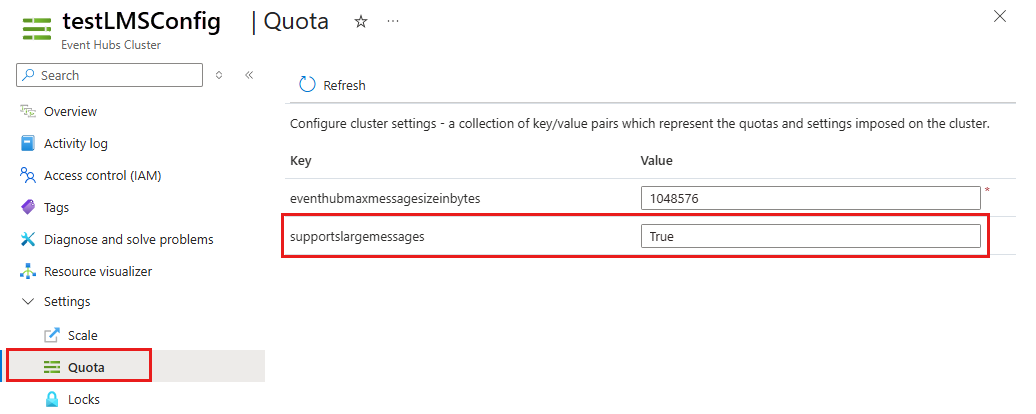
Confirm that the read-only key
supportslargemessagesis set toTrue.Update the
eventhubmaxmessagesizeinbyteskey to a suitable value in bytes. The acceptable range is between 1,048,576 and 20,971,520 bytes.Save the configuration. You're now ready to stream large messages with Event Hubs.
Important
Large message streaming is supported only on dedicated clusters that are built on the latest infrastructure. The supportslargemessages key reflects this capability.
If the supportslargemessages value is False, the cluster doesn't support streaming large messages. To enable the feature, re-create the cluster. Streaming large messages doesn't incur any extra charges.
Stream large messages with Event Hubs
Eligible Event Hubs dedicated clusters support streaming large messages up to 20 MB, both in batches and as individual publications. You can use any existing Event Hubs SDK or Kafka API to stream large messages to Event Hubs. For existing connections, restart the clients or re-establish the connection to stream large messages.
Tip
Review any Event Hubs Advanced Message Queuing Protocol (AMQP) client or Kafka client configuration that might limit the maximum message size that you stream into Event Hubs. Update the client timeout to a higher value (greater than 60 seconds) to stream large messages, and refine it based on your testing results to meet your workload needs.
By default, the AMQP client prefetch count is 300. Lower this value to avoid client-side memory issues when you handle large messages.