Note
Access to this page requires authorization. You can try signing in or changing directories.
Access to this page requires authorization. You can try changing directories.
These governance options are applied to all of the workloads that are part of either the community or enclave, overriding the default governance configuration for workloads.
Prerequisites
- To access Azure Enclave, you need an Azure subscription. If you don't already have a subscription, create a free account before you begin.
- Before you can create an enclave, you must create a community using the Azure portal.
- If you are using on-prem/custom DNS - each enclave must deploy a DNS resolver workload in order to resolve private endpoints for Azure Storage, Key Vault, and Log Analytics.
Customize governance settings on community creation
Go to community creation and customize your governance settings.
In the context of governance for communities, the following settings can be specified for each service:
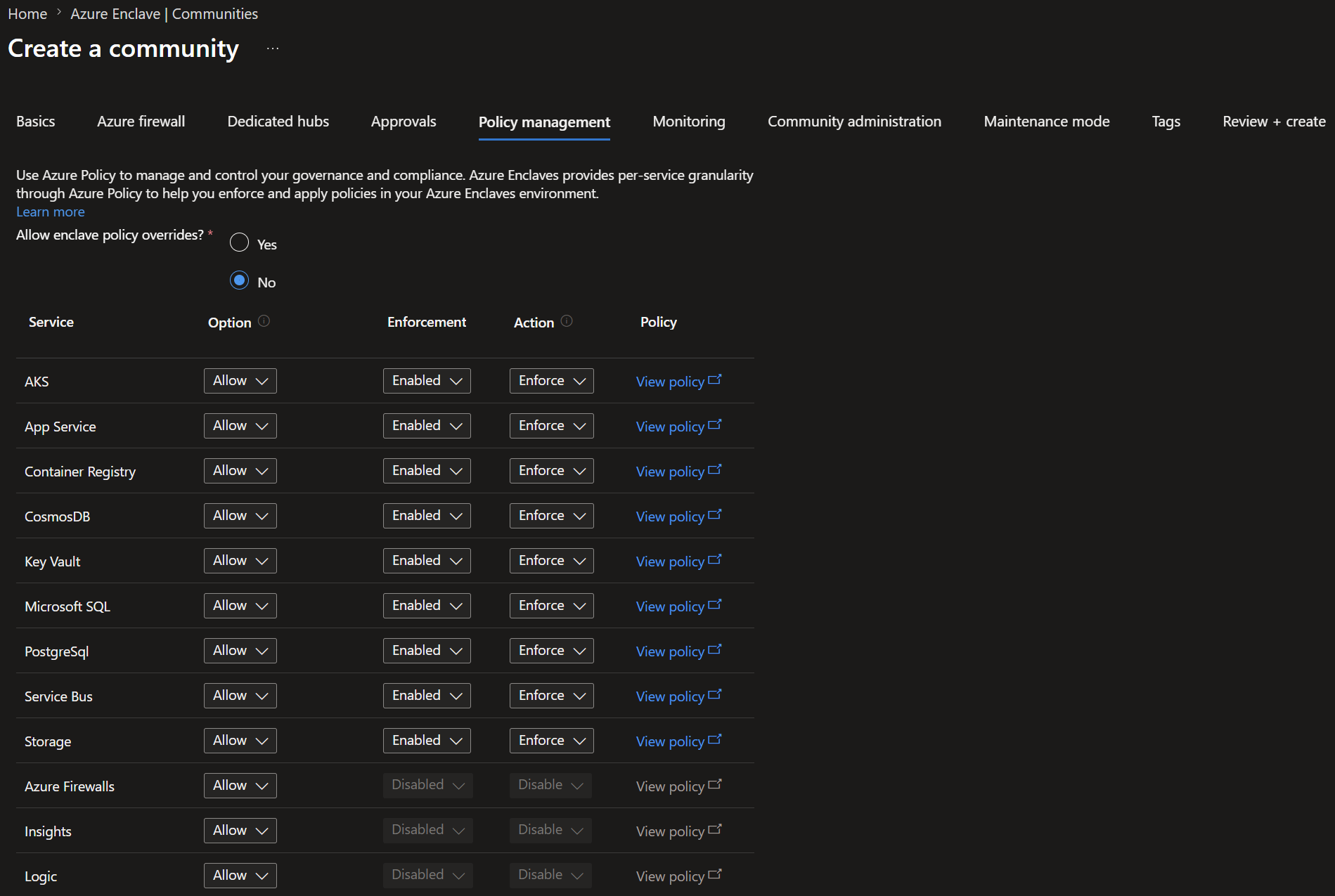
- Enforcement: This setting determines whether the rules defined for a service are actively enforced. When enforcement is enabled, any action that violates the rules are blocked or flagged.
- Audit Mode: This option allows for the monitoring of services without actively enforcing the rules. It's useful for understanding the effect of potential governance policies by logging all actions that would violate the rules if enforcement were > enabled.
- Options: This setting declares whether the service is:
- Allow: The service is allowed in the policies
- Deny: The service isn't allowed in the policies
- ExceptionOnly: The service isn't allowed in the policies, but manual Policy Exemptions can be made.
Note
These governance options are applied to all of the workloads that are part of the community, overriding the default governance configuration for workloads.
Configure approval settings
Community owners can configure approval requirements for resource types that support Azure Enclave approvals. Approval settings can be configured by resource type and scope so different resources can require different approver groups or approval counts.
For more information, see Configure approval settings.